rFirma: native electronic signature,
no Java.
No waiting. Desktop application in Rust and React that replaces AutoFirma's Swing interface and local servers, with the Administration's official cryptography.
- Open source, EUPL 1.2
- The private key never leaves your computer
- CAdES, PAdES, XAdES and FacturaE
- In five languages
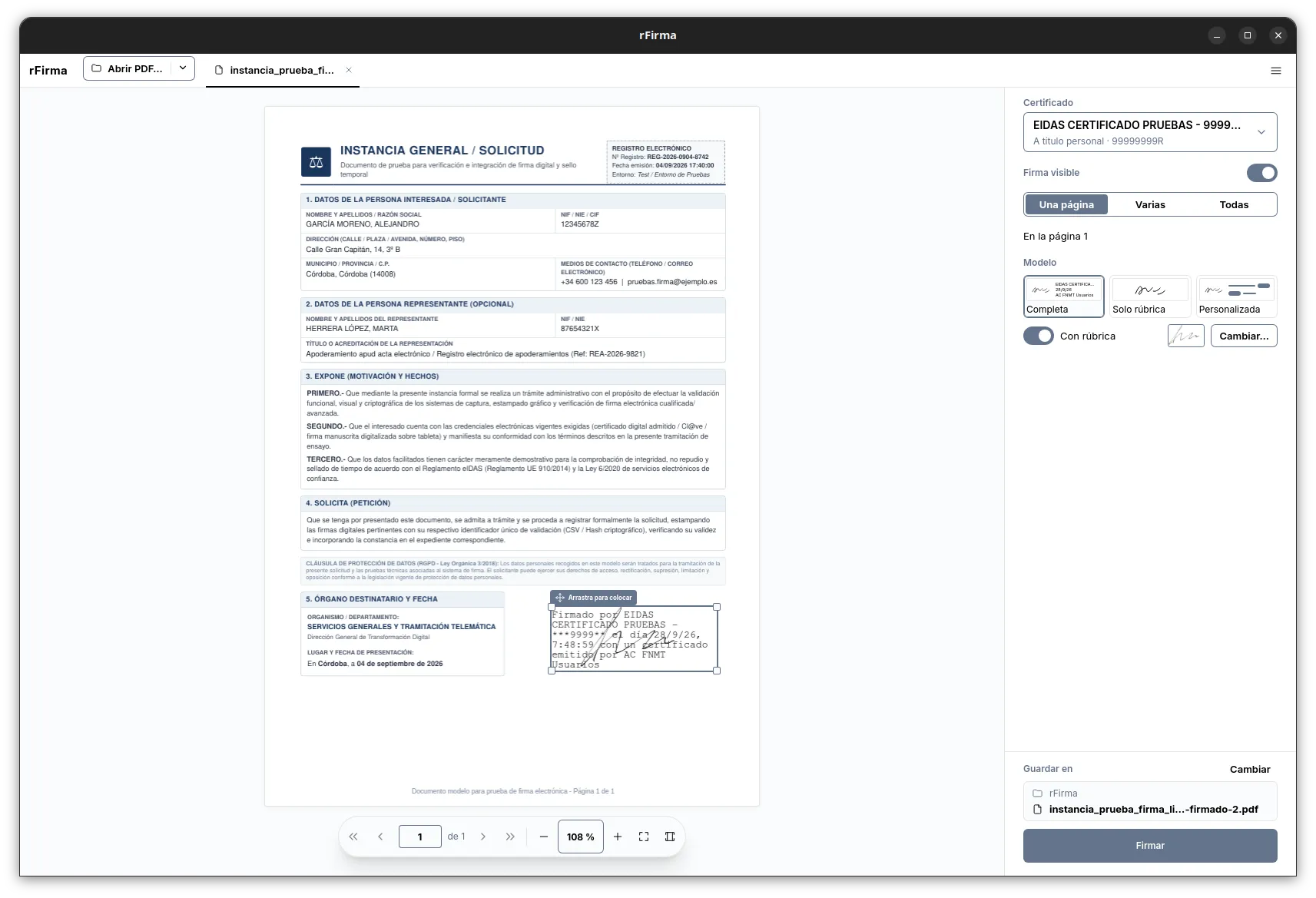
How a document gets signed
Document loaded
rFirma opens the PDF and shows what it contains: pages, size and the signatures it already carries. If there's an earlier one, yours will be a co-signature.
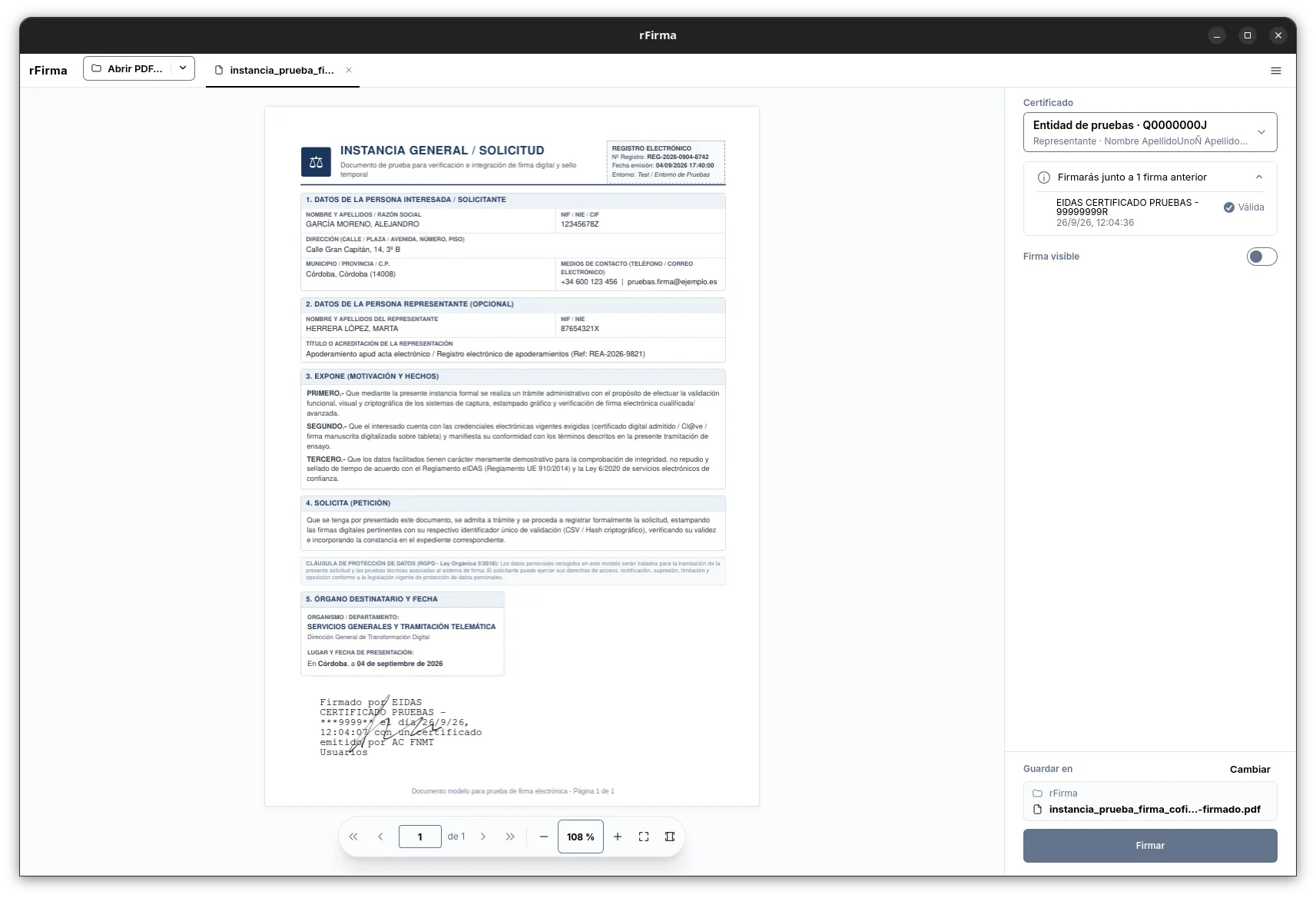
Choose certificate
The list is built from the system stores, the browser profiles and the PKCS#11 modules. Expired and revoked ones are shown, but can't be used.
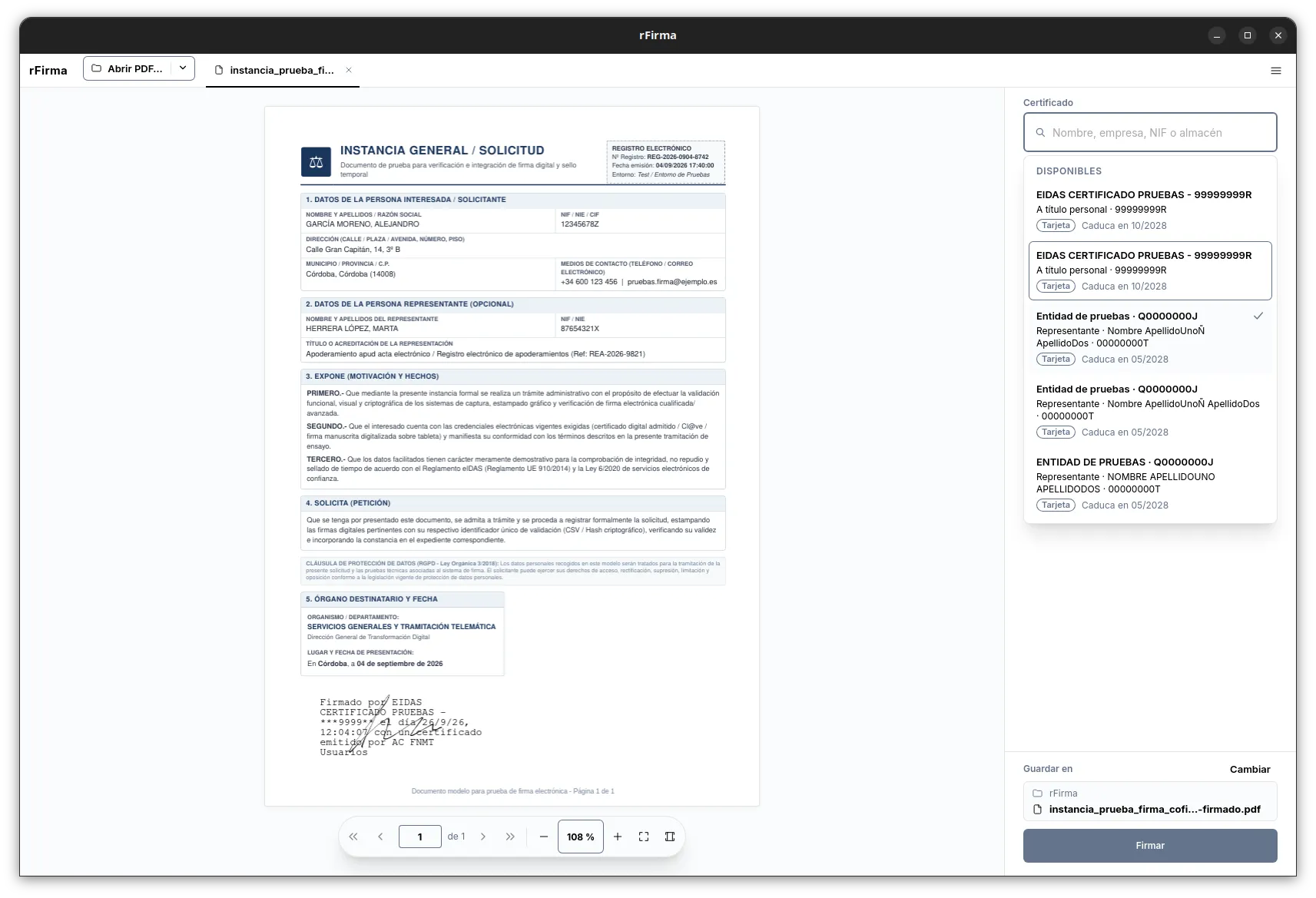
Enter the PIN
The PIN is requested in a native dialogue, not a web window, and is wiped from memory as soon as the signature is done.
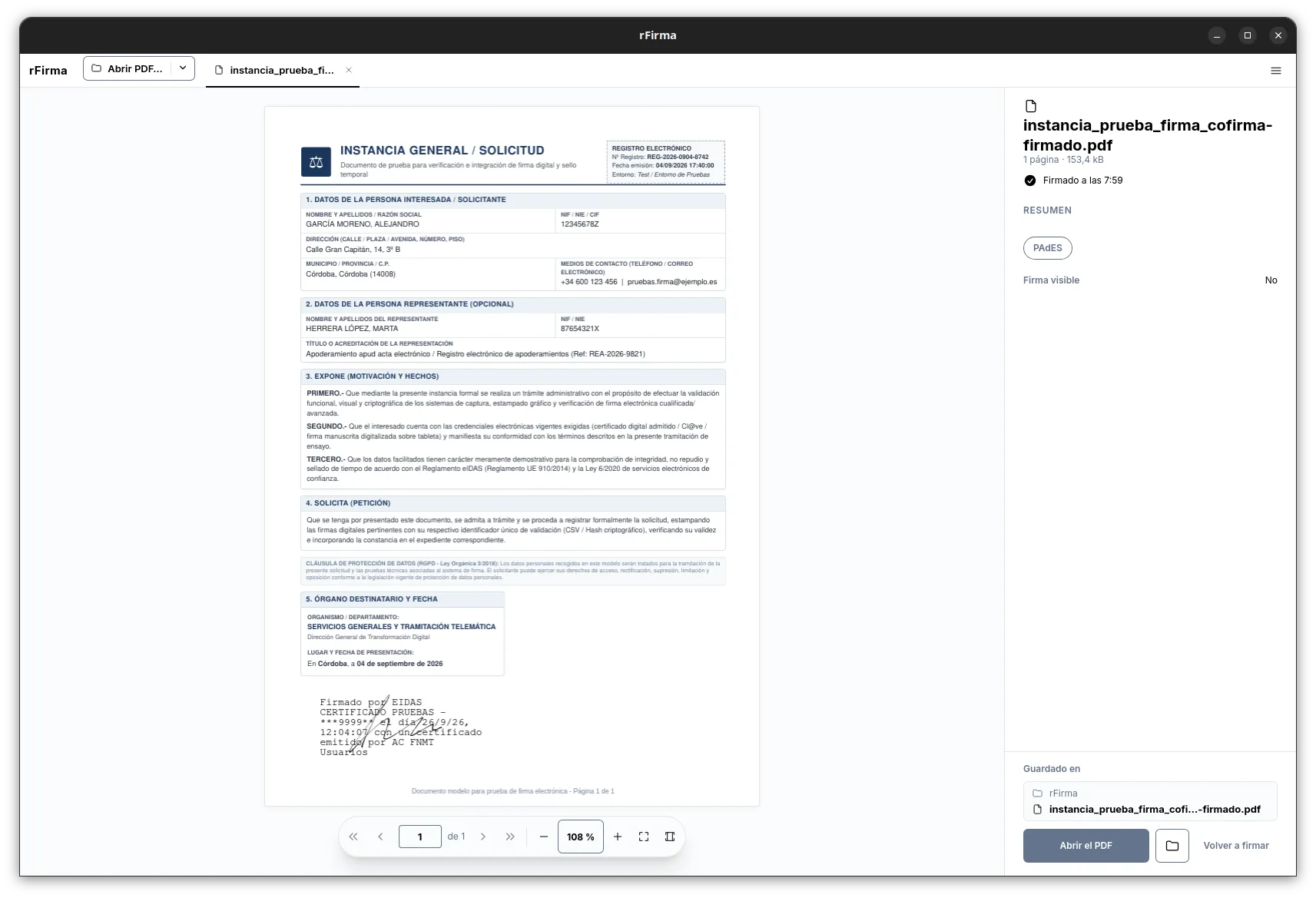
Signature complete
The signed PDF is saved next to the original, and the summary shows its format.
Four design decisions
It replaces AutoFirma's Swing interface and local servers; the cryptographic engine is the same one, from clienteafirma.
Native performance
Desktop app in Tauri v2, Rust and React. No JVM and no local servers listening.
The private key never leaves the system
Signing happens on your computer, through the system stores and the PKCS#11 modules. Java never sees it.
Official cryptography
CAdES, PAdES, XAdES and FacturaE come from the clienteafirma code, compiled to a native binary with GraalVM.
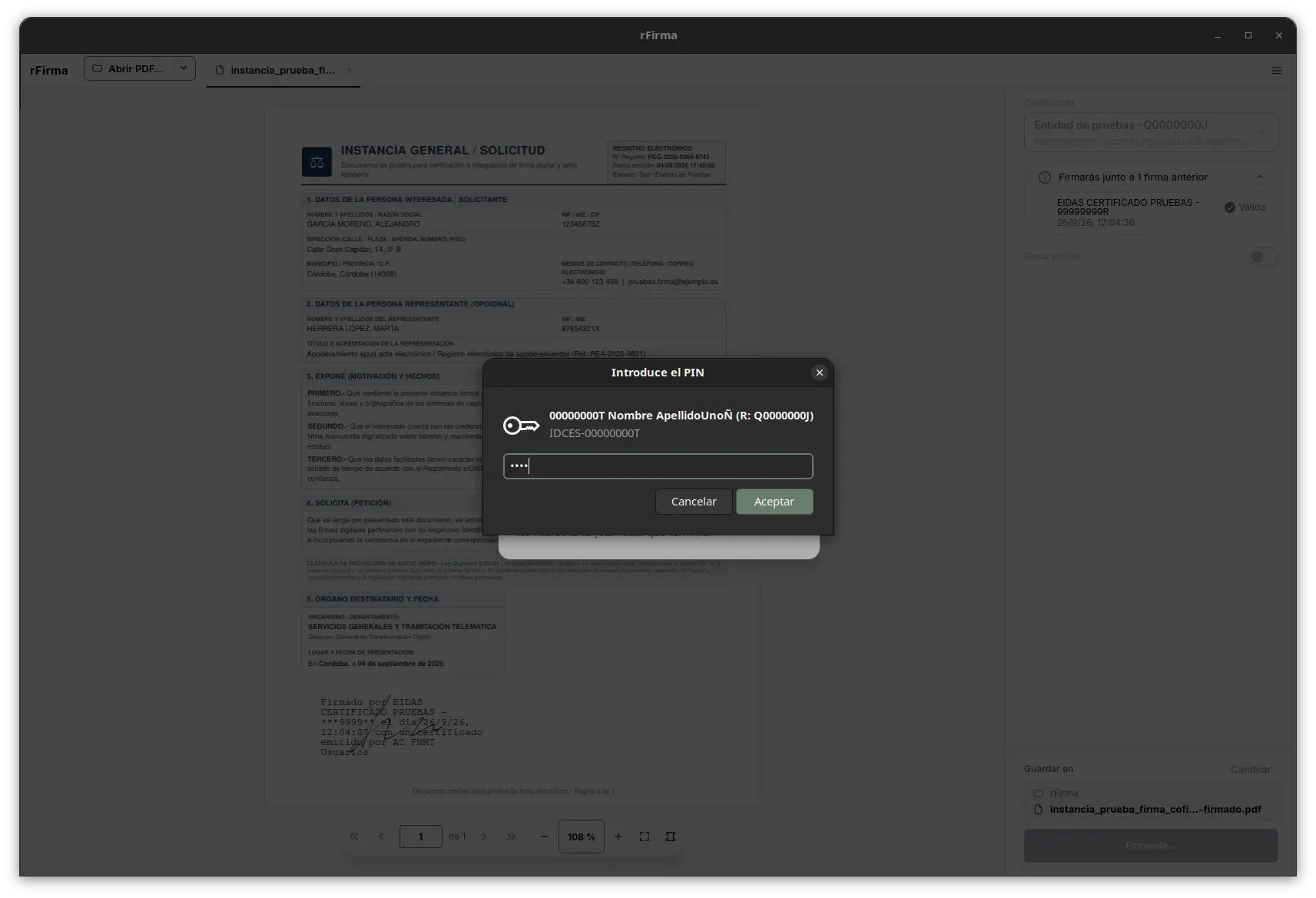
Draggable visible signature
Place and size the rubric on the page, with a faithful preview. No blind coordinates.
AutoFirma versus rFirma
| AutoFirma | rFirma | |
|---|---|---|
| Java | Required | Not used |
| Entering your PIN on Linux | Java window | Native dialogue and protected memory |
| DNIe detection | At startup | Hot-plug |
.p12 certificates | You pick the file in a dialogue | Its own encrypted store |
| Finding certificates | One store at a time | All at once, with a search box |
| Browsers on Linux | One store: the first one found. No Flatpak or LibreWolf | Those of the Firefox and Chromium families, native, Snap and Flatpak, at once |
| Visible signature | By coordinates | Drag it onto the page |
| Languages | Spanish | Spanish, Catalan, Basque, Galician and English |
| Operating systems | Windows, macOS, Linux, Android and iOS | Linux, macOS and Windows |
| Updates | Manual download | Automatic |
| Look and feel | Java windows | Matches your desktop, with light and dark themes |
One repository for your operating system
rFirma's channels are native repositories. Once your system's is added, security patches install through the package manager.
For Debian, Ubuntu and derived distributions. Sets up the repository using the modern deb822 format with the GPG key verified in /usr/share/keyrings/.
curl -fsSL https://rfirma.com/rfirma.asc | sudo tee /usr/share/keyrings/rfirma.asc >/dev/null
sudo tee /etc/apt/sources.list.d/rfirma.sources <<'EOF'
Types: deb
URIs: https://rfirma.com/apt/
Suites: stable
Components: main
Signed-By: /usr/share/keyrings/rfirma.asc
EOF
sudo apt update && sudo apt install rfirma
For Fedora and RPM-based derivatives. Sets up the repository with strict cryptographic checking of metadata and packages (gpgcheck=1 and repo_gpgcheck=1).
sudo tee /etc/yum.repos.d/rfirma.repo <<'EOF'
[rfirma]
name=rfirma
baseurl=https://rfirma.com/rpm/
enabled=1
gpgcheck=1
repo_gpgcheck=1
gpgkey=https://rfirma.com/rfirma.asc
EOF
sudo dnf install rfirma
Recommended for Linux distributions that use neither APT nor DNF. You add Flathub, where the org.gnome.Platform runtime comes from, and rFirma's remote, like any other repository: rFirma then also shows up when you search in GNOME Software. You only need flatpak and xdg-desktop-portal installed.
flatpak remote-add --if-not-exists flathub https://dl.flathub.org/repo/flathub.flatpakrepo
flatpak remote-add --if-not-exists rfirma https://rfirma.com/rfirma.flatpakrepo
flatpak install rfirma me.sgomez.rfirma
Installs for your user only, without administrator rights. It uses the certificates you already have in Windows and updates itself.
Windows will warn you that the installer isn't signed: click “More info” and “Run anyway”. To check the download, compare its hash with the one in SHA256SUMS, in the Release:
Get-FileHash .\rFirma_*_x64-setup.exe -Algorithm SHA256
Select-String rFirma_ .\SHA256SUMS
For Apple Silicon Macs with macOS 15.4 or later. Install it with Homebrew or the .dmg. It then updates itself.
brew install --cask sgomez/rfirma/rfirma
The first time, macOS won't open it because it isn't signed by Apple. To allow it, run this in Terminal:
xattr -c /Applications/rfirma.app
To leave no rFirma certificate behind in your browser, click Withdraw certificate in the status panel before uninstalling.
Detailed steps, key fingerprint and verification are in the manual (in Spanish) →
All the code, in the open
rFirma is free, auditable software under the EUPL 1.2 licence. The code and the cryptographic engine live in two public repositories.
Application and FFI bridge
sgomez/rfirma holds the Tauri interface (Rust + React), the FFI bridge (rfirma-native-bridge) and the packaging.
Original cryptographic engine
The signing logic consumes the artefacts from ctt-gob-es/clienteafirma, compiled into a native library with GraalVM Native Image.
Package signing key
Public key at rfirma.asc. Check its fingerprint after downloading it with gpg --show-keys rfirma.asc:
C8D6 A81C 1ED4 3A28 D426 8112 A6E0 EE02 2344 6A16